
Description
Email Gated Downloads helps you create email gated downloads (also called gated downloads or gated content) on your WordPress site. Visitors enter an email address (and optional name), accept your consent message, and then receive a secure download link for your PDF or ZIP file.
If you’re offering a lead magnet, content upgrade, checklist, guide, template, or resource library download, this plugin gives you a simple “download after email submission” flow without bloated form builders.
What you can do with Email Gated Downloads
- Gate a PDF download behind an email form (great for guides, ebooks, brochures, spec sheets)
- Gate a ZIP download (templates, assets, bundles)
- Create a clean lead generation offer: “Enter your email to download”
- Prevent casual scraping with secure links and rate limiting
- Keep a lightweight audit trail of who downloaded what (CSV export)
Why site owners choose this plugin
- Email capture for lead magnets – Exchange a valuable download for an email address and build your list.
- Secure gated download links – Generate one time, time limited tokens so your file URL is not publicly exposed.
- GDPR friendly consent – Built-in consent checkbox and customizable message.
- Download logging + CSV export – Record email, optional name, file, IP, and timestamp. Export to CSV for your CRM or email tool.
- Lightweight & theme friendly – Minimal footprint, optional stylesheet (or disable and style it yourself).
Quick setup (3 steps)
- Upload your file: Go to Settings > Email Gated Downloads and upload your PDF or ZIP.
- Configure your form: Enable optional name field, add your GDPR consent checkbox text, and customize messages.
- Place the form: Add shortcode
[spdfed_download_form]to any page/post (use a Shortcode block in the block editor).
Visitors will see your download form, submit their email, and receive a secure download link.
FREE FEATURES
- Email gated download form – Require an email address (optional name) before download.
- Secure file storage – Files stored in a protected directory; links use one time, expiring tokens.
- Download logging & CSV export – Track downloads with email, name, file name, IP address and timestamp.
- GDPR consent checkbox – Built-in consent checkbox with customizable text.
- Rate limiting – Reduce repeated downloads and basic bot abuse.
- Customizable styling – Use CSS variables, or disable the plugin stylesheet and add your own.
- Fast & lightweight – Minimal code and clean database usage.
PREMIUM FEATURES
Upgrade to Premium to manage multiple lead magnets and deeper reporting:
- Unlimited gated files – Create multiple download offers with a “Gated Files” Custom Post Type.
- Per file customization – Override global settings (name requirement, consent text, confirmation message) per file.
- Analytics dashboard – View total downloads, top files and trends with charts.
- Individual shortcodes – Use
[spdfed_download_form id="123"]to embed a specific gated download anywhere.
Ideal use cases
- Lead magnets (ebooks, checklists, templates, worksheets)
- Content upgrades for blog posts and newsletters
- Resource libraries (downloads behind email capture)
- Digital product samples (share a preview while protecting the main asset)
- Course companion files (PDF handouts, ZIP resources)
Third-Party Libraries & Source Code
This plugin includes human readable source code and uses the following third-party library:
Chart.js
- File:
assets/js/chart.js - Version: 4.5.1
- Purpose: Powers the analytics charts in the premium version
- License: MIT License
- Source Code: https://github.com/chartjs/Chart.js
- CDN Reference: https://cdn.jsdelivr.net/npm/chart.js@4.5.1/dist/chart.umd.js
All other JavaScript and CSS files in this plugin are written by the plugin author and are provided in uncompressed, human readable format.
Screenshots
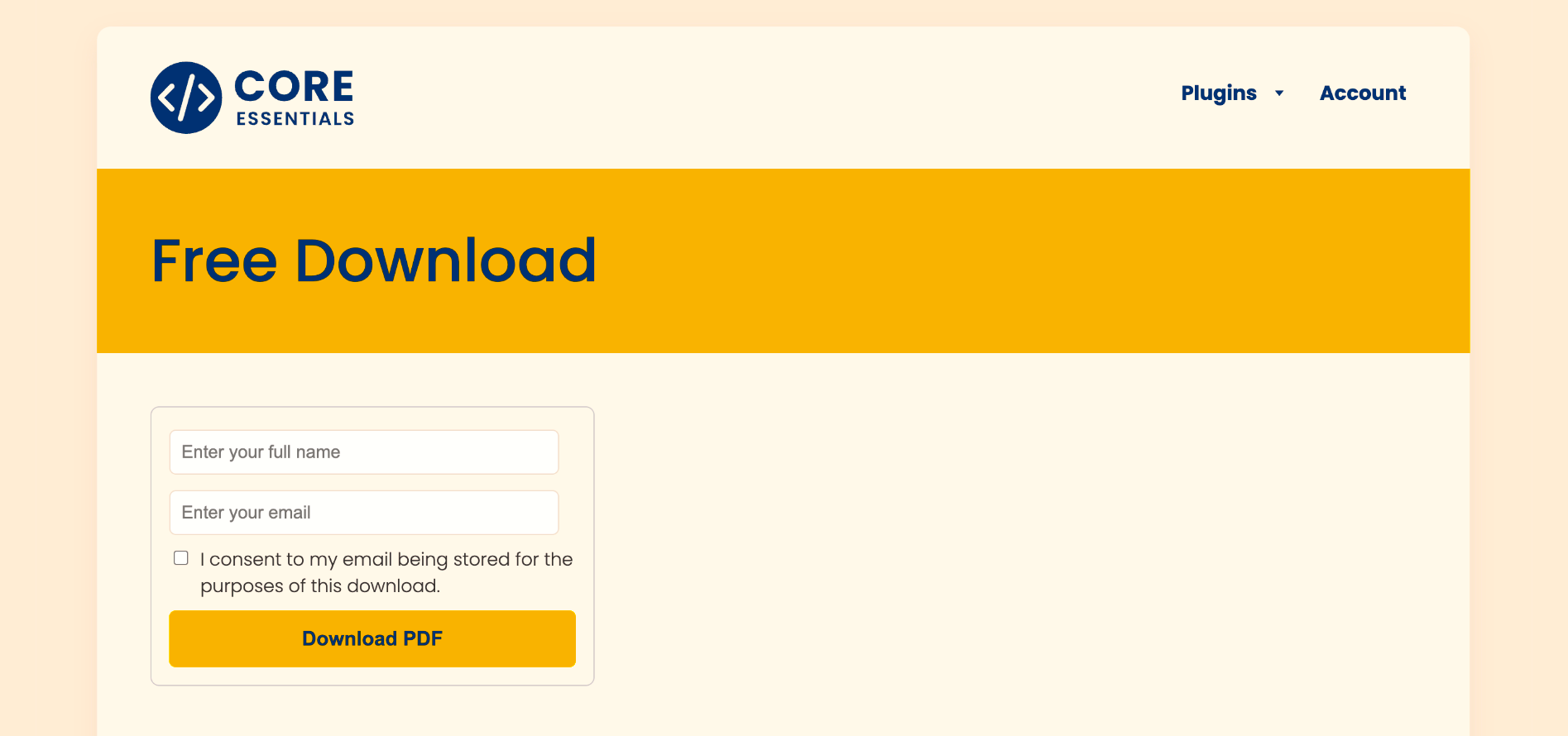
Gated content download form (default styling) 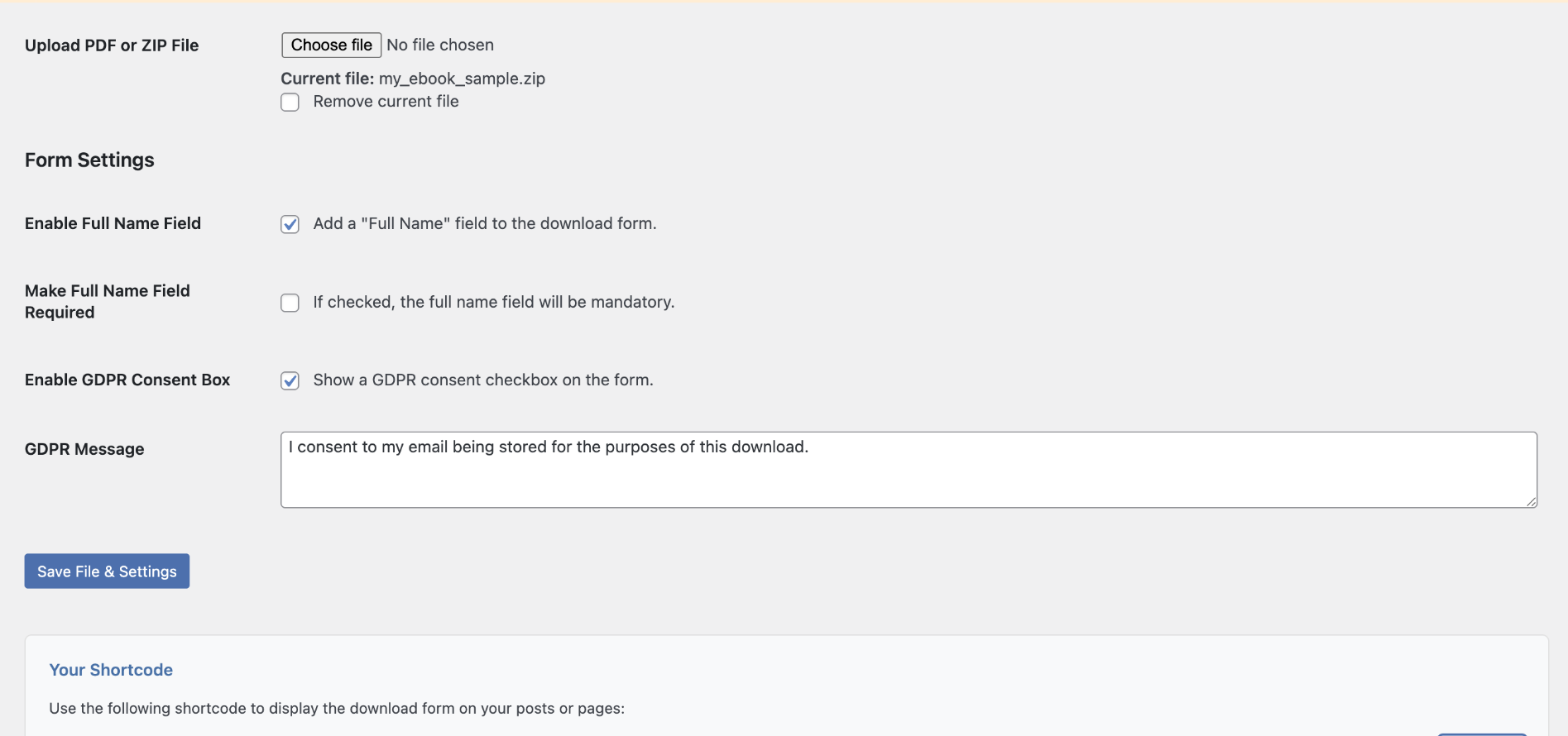
Form settings 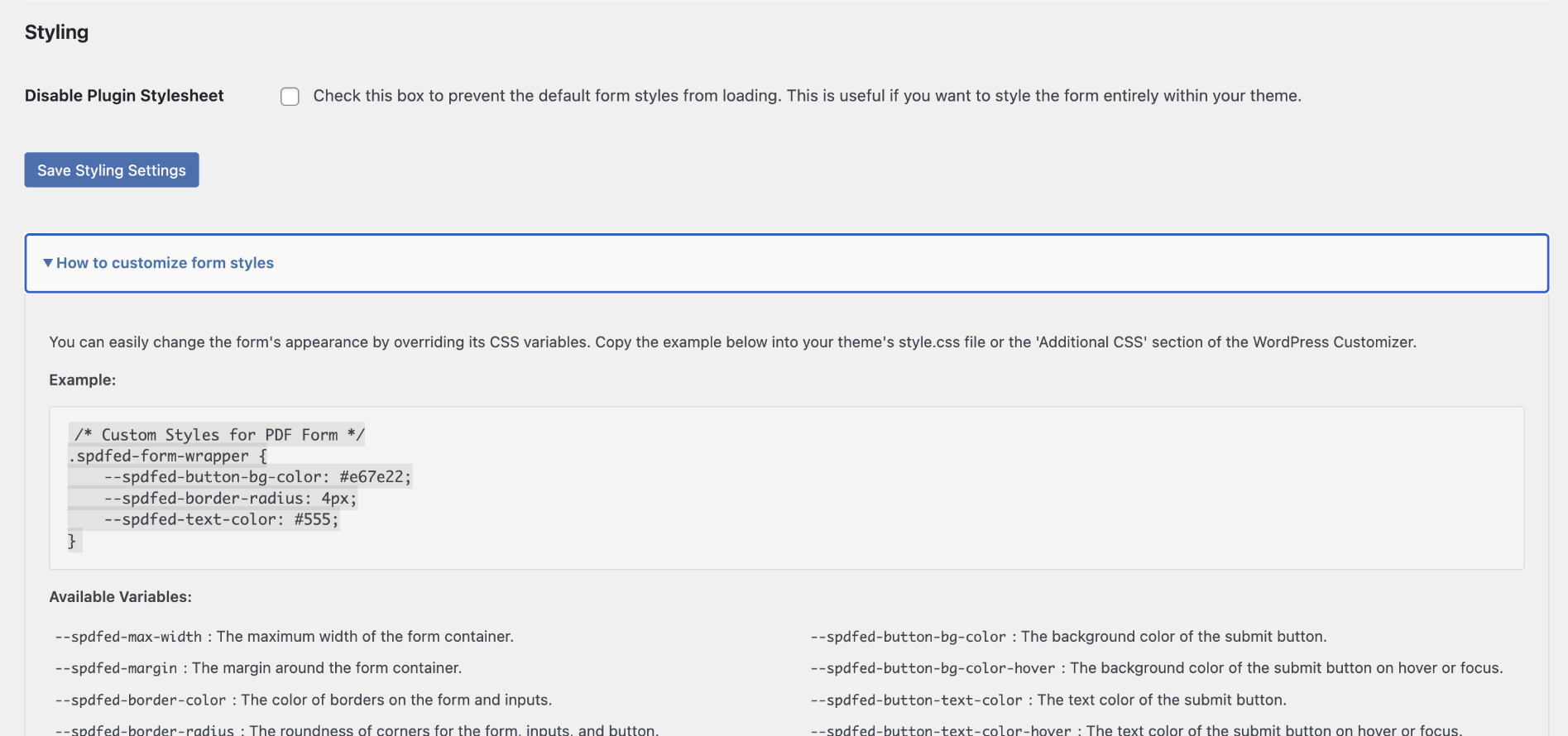
Styling settings and helpers 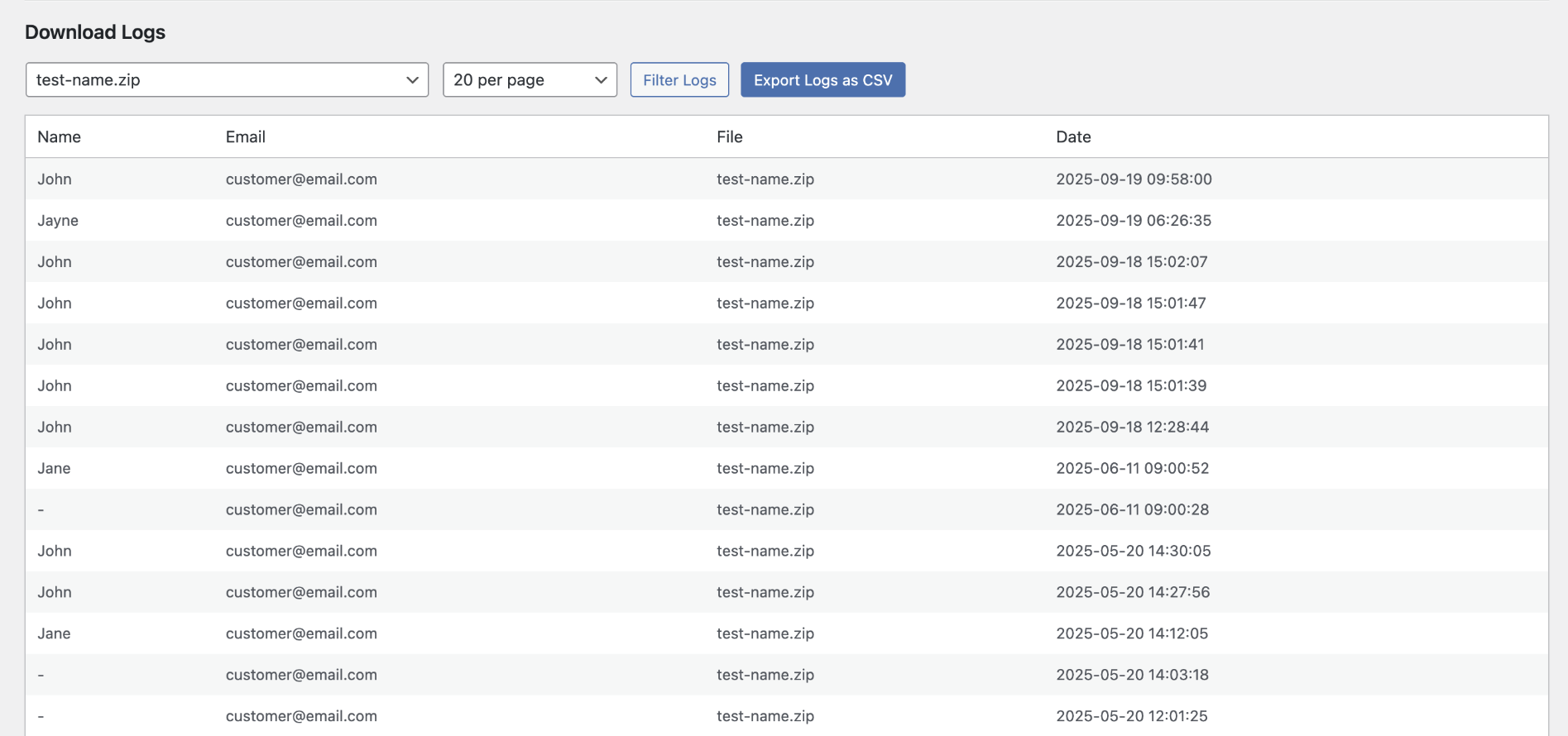
Download logs (CSV export available) 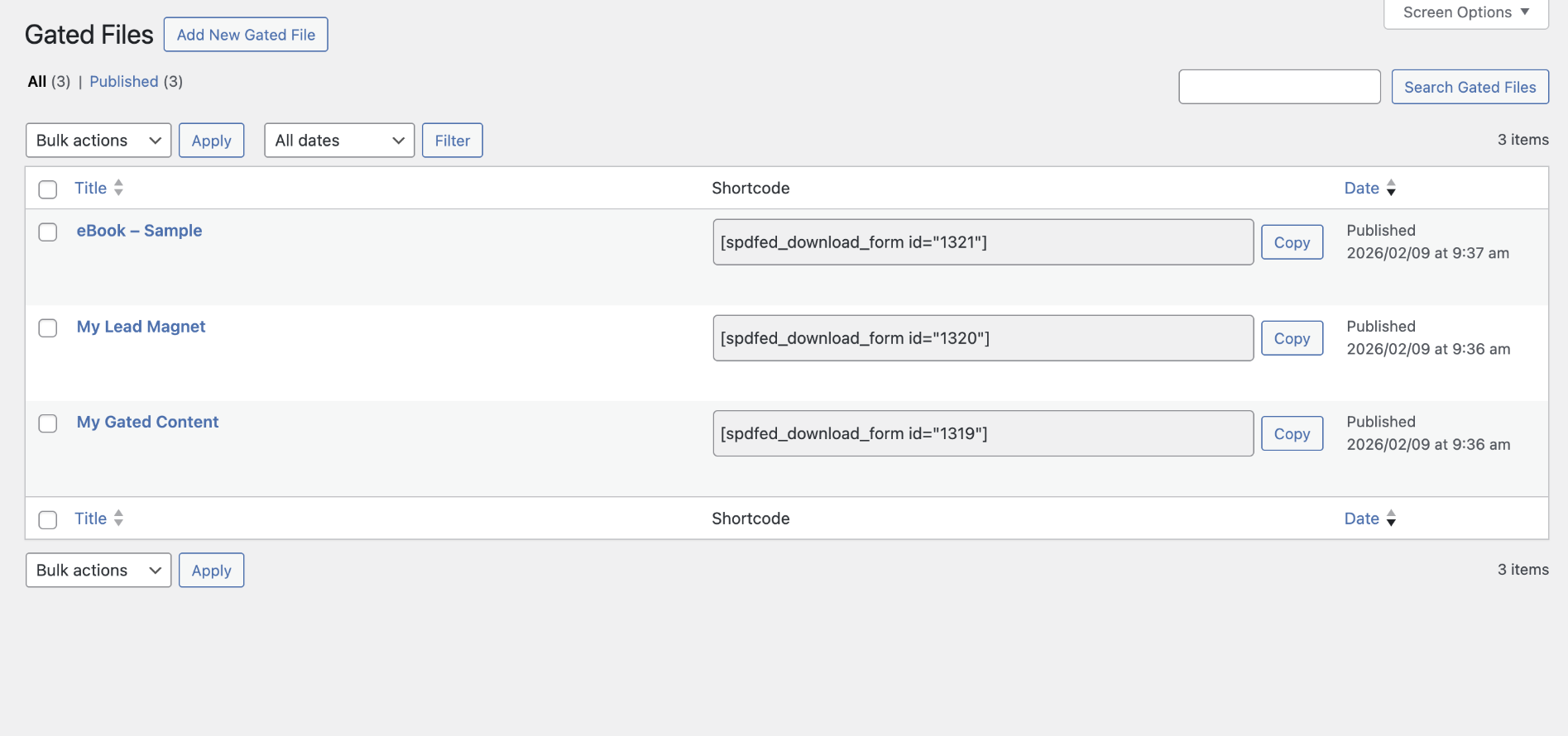
Premium: Gated Files post type for multiple files 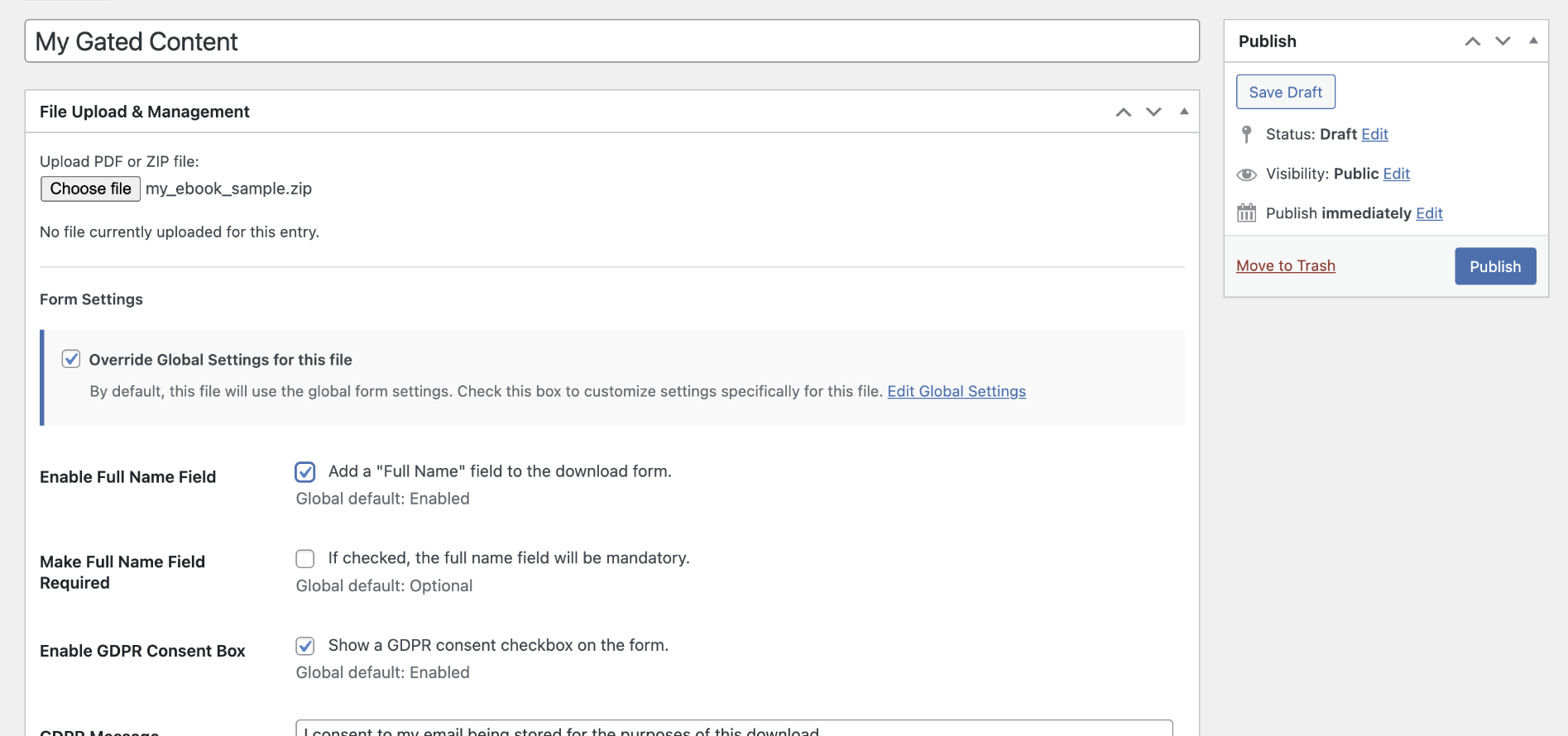
Premium: Gated File edit screen 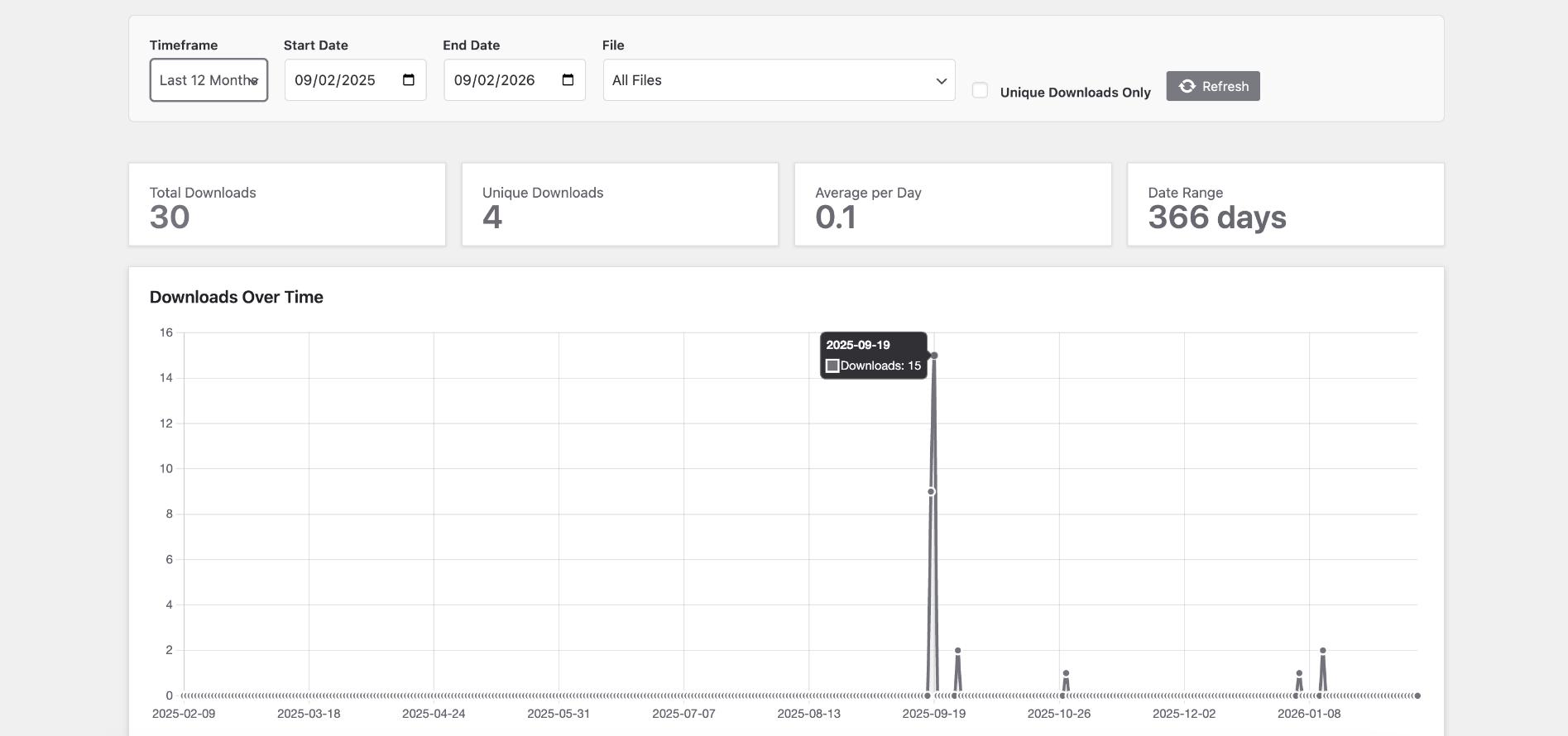
Premium: Gated file download analytics
Installation
- Install and activate Email Gated Downloads from the Plugins menu in WordPress.
- Go to Settings > Email Gated Downloads.
- Upload your PDF or ZIP file.
- Configure your download form (name field, consent checkbox, messages).
- Save changes.
- Add
[spdfed_download_form]to any page or post.
FAQ
-
How do I require an email address to download a PDF?
-
Upload your PDF in Settings > Email Gated Downloads, then place
[spdfed_download_form]on your page. Visitors must submit their email before they can download. -
Can I gate ZIP files too?
-
Yes. PDF (
.pdf) and ZIP (.zip) are supported. -
Can I use this as a lead magnet / content upgrade?
-
Yes. This plugin is designed for lead magnets and content upgrades where you want a “download after email submission” flow.
-
Is the free version really free?
-
Yes. The free version lets you gate one file with form settings, logging, and CSV export.
-
Free: One gated file, email capture form, consent checkbox, download logs, CSV export.
Premium: Unlimited gated files, per file settings, analytics dashboard, and individual shortcodes. -
Are the download links secure?
-
Yes. Download links are unique tokens that expire after use or after a set time, so the real file URL is not exposed.
-
Is this GDPR compliant?
-
A customizable consent checkbox is included to help you collect explicit consent. You’re still responsible for your privacy policy and how you store/process submissions.
-
How can I customize the look of the form?
-
Two options:
1) CSS Variables – Copy the variables from the settings help panel into Appearance > Customize > Additional CSS and adjust.
2) Disable Stylesheet – Disable the plugin stylesheet and add your own CSS in your theme. -
Can I place the shortcode on multiple pages?
-
Yes.
[spdfed_download_form]can appear on multiple pages/posts and will point to your gated file. -
Can I place multiple gated download forms on the same page?
-
Yes (Premium). Use
[spdfed_download_form id="123"]to embed multiple different gated files on one page. -
Where can I see who downloaded my file?
-
Go to Settings > Email Gated Downloads and view Download Logs. You can export logs to CSV anytime.
Reviews
There are no reviews for this plugin.
Contributors & Developers
“Email Gated Downloads” is open source software. The following people have contributed to this plugin.
Contributors
Translate “Email Gated Downloads” into your language.
Interested in development?
Browse the code, check out the SVN repository, or subscribe to the development log by RSS.
Changelog
1.0.0
- Initial release: email gated downloads for PDF/ZIP with consent checkbox, secure links, logging, and CSV export.
1.0.1
- Fix minor dashboard styling issue.
1.0.2
- Feature: Optional thank you message added, triggered after successful form submission.
- Fix issue with some hosts returning the download target as a raw file rather than a downloadable.
1.0.3
- Fix issue with aggressive caching on some hosting providers preventing new entries being recorded.